Key Takeaways:
- The real problem is waiting, not accuracy. USB loggers record data just fine. The issue is that someone has to go get the data, so problems are often found hours after they happen.
- Cheap upfront can cost more later. A USB logger has a low purchase price, but staff time spent visiting devices, downloading files, and making reports adds up later.
- Most errors come from people, not devices. Wrong date ranges, files saved in the wrong folder, or a forgotten download can cause missing information. Cloud systems cut down these mistakes with automatic uploads.
- Growth makes USB harder to manage. Handling 2 or 3 loggers is easy, but 50 loggers across many sites add more work. A single cloud dashboard keeps the workload from growing at the same speed.
- Cloud is not automatically the right choice. USB still works well for short studies, places without internet, and occasional checks.
A USB data logger records measurements and stores them for later download. A cloud data logger sends readings to an online dashboard, allowing your team to monitor conditions remotely and receive alerts when configured limits are crossed.
For factories, warehouses, laboratories, and pharmaceutical facilities, this difference matters. When you need someone to connect a device to a computer just to see what happened, you may already be late to respond.
The problem is not that USB data loggers cannot collect accurate data. Many work well for their intended purpose. The real question is whether your business can afford to wait for that data before taking action.
Let's compare both options, understand the hidden costs of manual downloads, and see which type of data logger makes sense for your operation.
What is a USB Data Logger?
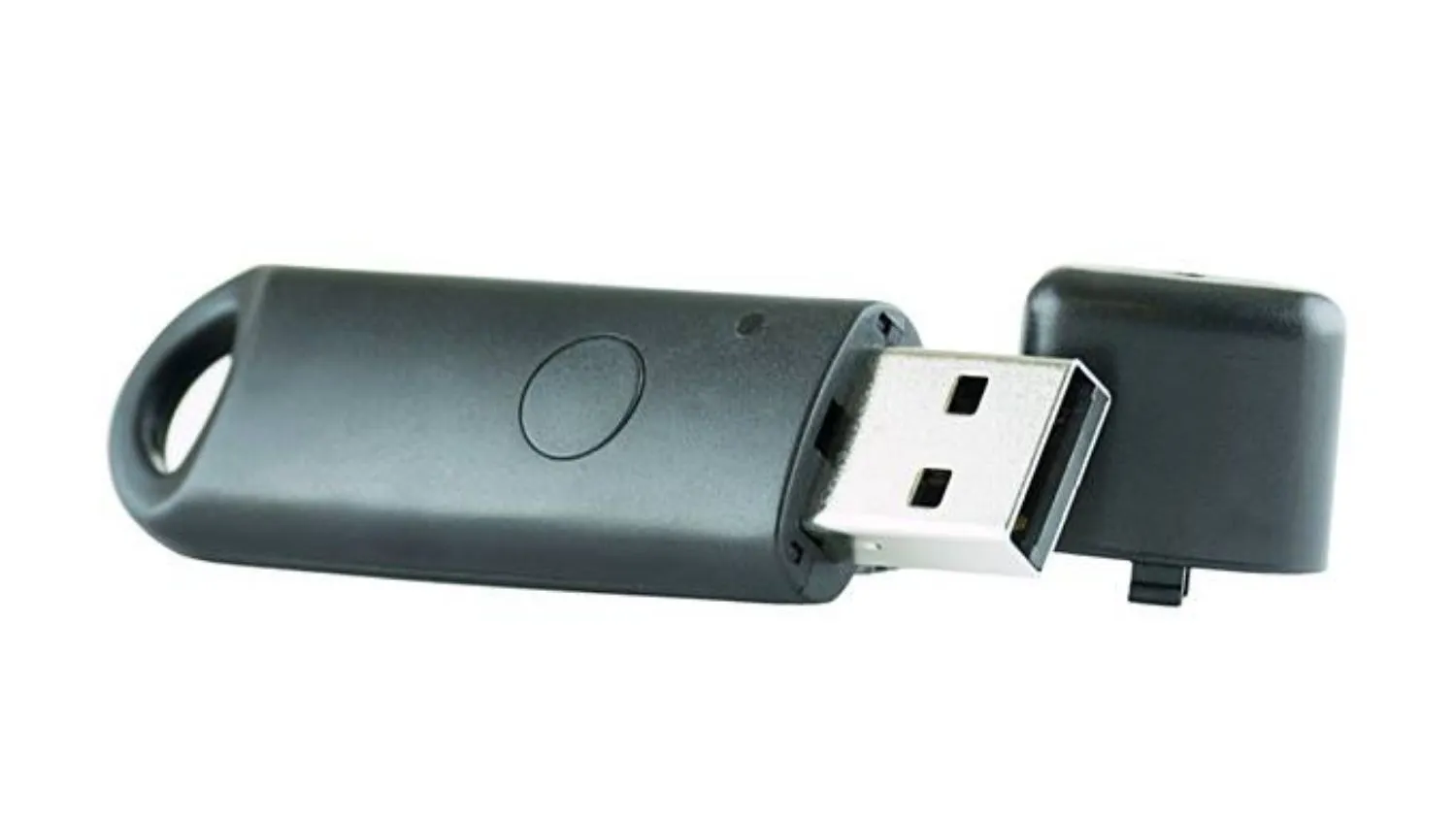
A USB data logger is an electronic device that automatically records measurements from sensors and stores them in its internal memory. These measurements may include temperature, humidity, pressure, voltage, or other environmental and industrial parameters.
To view the recorded information, a user typically connects the device to a computer through USB and downloads the stored readings using the provided software.
The logger has collected the data automatically, but reviewing it still requires a person to retrieve it. Here are some advantages of USB data loggers:
- It's easy to configure and use: Provide simple operation.
- Readings are stored locally: No continuous internet connection required.
- Suitable for short-term studies: Mostly useful for temperature mapping, transport checks, and periodic inspections.
- Lower system complexity: These devices do not need a cloud platform or ongoing connectivity costs.
However, the workflow becomes less convenient when you need live data, multiple locations need monitoring, or a problem requires an immediate response.
What is a Cloud-Based Data Logger?
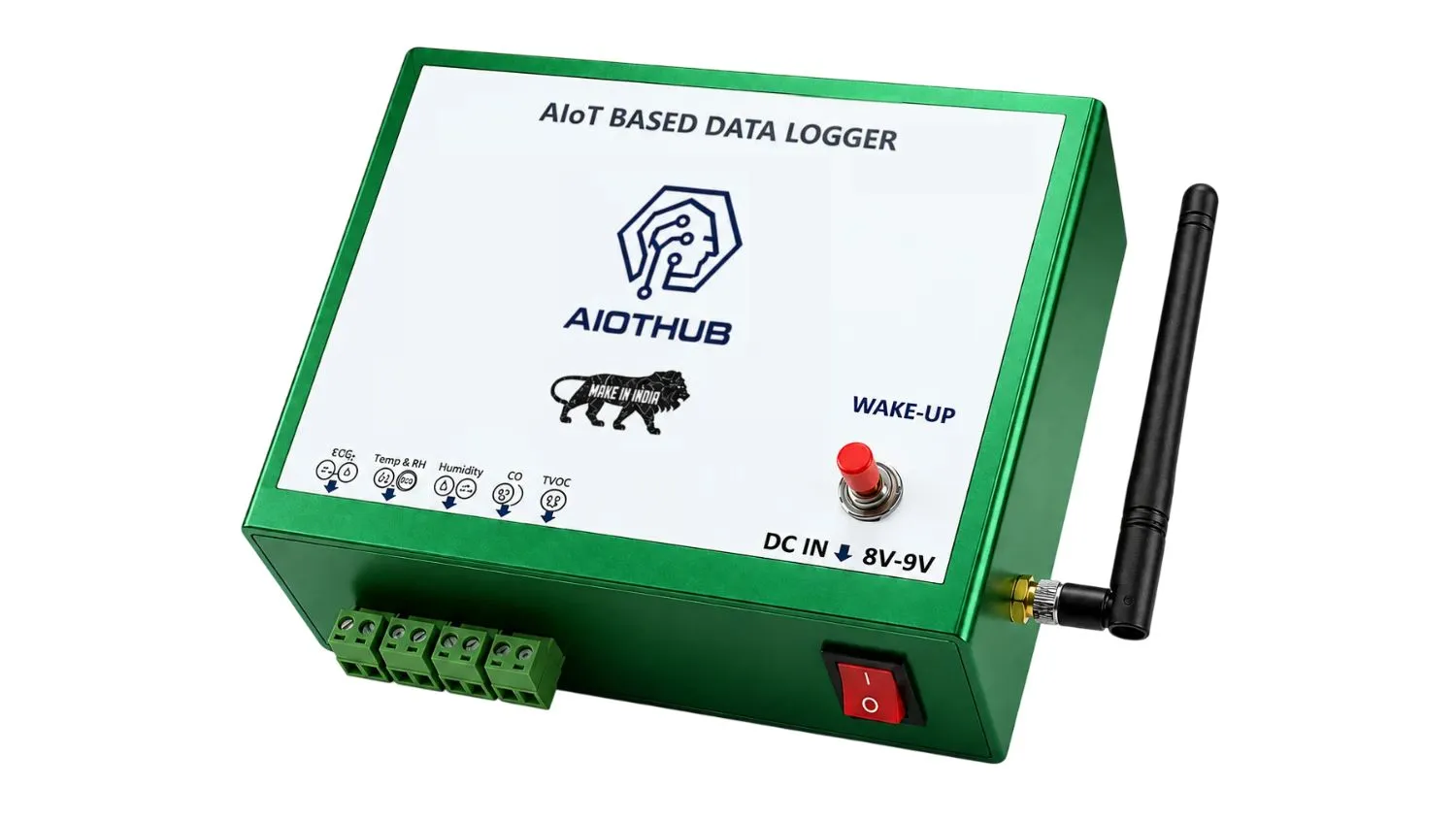
A cloud-based data logger records measurements and sends them to a cloud-based monitoring dashboard through a supported connection such as Wi-Fi, Ethernet, or cellular connectivity.
Instead of visiting the device to download its records, authorised users check readings through a web dashboard. Cloud-connected industrial data loggers provide features such as:
- Live and historical data views
- Configurable high and low threshold alerts
- Remote access across different locations
- Automatic data uploads and report exports
- Centralised monitoring of multiple sensors
- Local data buffering during network outages
Here, your team does not need to wait for the next inspection round to discover the problem. That is the practical difference between collecting data and making data available when people need it.
USB Data Loggers vs Cloud Data Loggers: Key Differences
Both technologies automatically record measurements. The main difference is how the data becomes available and what your team can do with it.
| Feature | USB Data Logger | Cloud-based Data Logger |
|---|---|---|
| Data collection | Automatic | Automatic |
| Data storage | Local memory | Cloud storage |
| Access to readings | Requires connecting to or retrieving the device | Remote access through a dashboard |
| Monitoring | Periodic | Supports continuous remote monitoring |
| Alerts | Not available | Configurable remote alerts available |
| Multiple locations | More effort to manage as the number of devices grows | Centralised monitoring with multi-site management |
| Internet dependency | Not required for local recording | Connectivity is needed for cloud updates and remote notifications |
Important: These categories are not absolute. Some expensive USB loggers offer alarms, wireless connectivity, or automatic uploads. So, always compare the features of the devices you are considering.
5 Hidden Costs of Manual Data Downloads
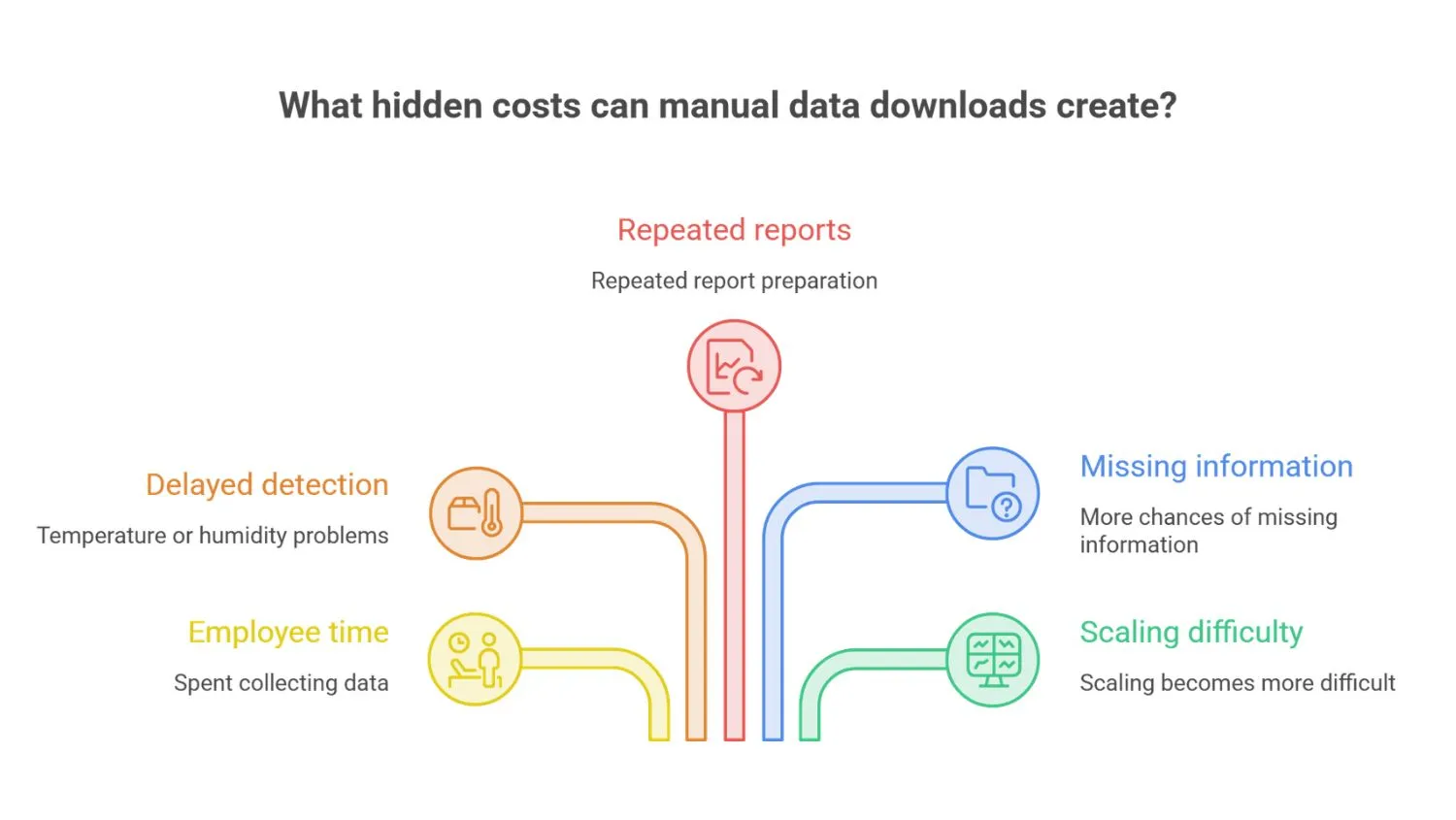
A USB data logger has an attractive purchase price. But the purchase price is only one part of your monitoring process. When employees repeatedly retrieve and review data, the time and effort involved can become a recurring operational cost.
1. Employee Time Spent Collecting Data
Imagine a factory monitoring 3 different locations. An employee needs to visit each location, connect the logger to a computer, retrieve the records, save the files, and check whether the data is complete.
The same process needs to be repeated across shifts, departments, or facilities. Even when each download takes only a few minutes, the time adds up over weeks and months.
Here, cloud monitoring systems reduce the need for these routine visits by making readings available remotely. Employees can then focus more on reviewing conditions and responding to problems.
2. Delayed Detection of Temperature or Humidity Problems
This can be the most important difference for businesses that monitor sensitive products or critical equipment.
Suppose a pharmaceutical refrigerator experiences a temperature excursion at 2 AM. The USB logger continues recording the readings, but nobody retrieves the data until the quality team arrives at 9 AM. The record shows exactly when the temperature changed. However, the team did not know about the problem while it was happening.
With a properly configured cloud temperature monitoring system, an alert can be sent when a reading crosses a defined threshold, provided the logger, network, and notification system are functioning as expected.
For medicines, vaccines, laboratory samples, and other temperature-sensitive products, earlier detection can make a meaningful difference to the investigation and response process.
3. Repeated Report Preparation
Downloading a file is only the beginning of the work. Someone still needs to organise files, compare readings, identify unusual values, prepare spreadsheets, and create reports for managers or quality teams.
When every device stores data separately, reviewing several locations can become particularly time-consuming.
A cloud data logging dashboard brings measurements together in one place. Its reporting features allow users to filter historical readings, export records, and review trends without manually collecting each file.
This makes regular monitoring easier to manage and can reduce repetitive administrative work.
4. More Chances of Missing Information
Manual retrieval adds more steps into the data-handling process. Here, an employee could download the wrong date range, save a file in the wrong folder, overlook an unusual reading, or forget to retrieve a device on schedule. The logger itself still records correctly. The weakness is in the process around it.
Here, cloud systems reduce these human errors through automatic uploads and centralised records.
5. Scaling Becomes More Difficult
Managing two or three standalone loggers may be straightforward. But managing 50 loggers across several warehouses, production areas, or pharmaceutical storage rooms is a different challenge.
As the number of devices grows, employees have more files to retrieve, more locations to visit, and more records to review.
A centralised dashboard can make this process easier by bringing readings from supported devices into one monitoring interface. For growing businesses, it's a practical way to manage more monitoring points without increasing administrative work at the same pace.
When Should You Choose a USB Data Logger?
A USB data logger remains a sensible choice in many situations.
Consider one when:
- You need to monitor a location for a short period.
- You collect readings occasionally rather than needing continuous remote visibility.
- Internet connectivity is unavailable.
- You are conducting temperature mapping or an equipment performance study.
- Your existing procedure allows scheduled data retrieval and meets the monitoring requirements.
When Should You Choose a Cloud Data Logger?
Cloud monitoring becomes more useful when knowing what is happening now matters as much as knowing what happened yesterday.
Consider it when:
- You operate temperature-sensitive storage rooms or cold-chain facilities.
- Equipment conditions need to be monitored outside normal working hours.
- Your team manages multiple locations.
- You need alerts when measurements move outside defined limits.
- Employees spend more time collecting & preparing records.
- You need quicker access to historical trends & monitoring records.
What to Check Before Buying a Cloud Data Logger
Moving from USB to cloud monitoring is not simply a matter of choosing a device with an internet connection. The complete system needs to fit your working conditions.
1. Connectivity options
Check whether the logger supports Wi-Fi, Ethernet, 4G, LTE, or another suitable connection. A device installed in a remote warehouse may need a different connectivity option from equipment located inside a factory with a reliable wired network.
2. Local storage during network outages
Ask what happens when the internet connection stops working. A suitable system should have an appropriate method of retaining readings locally, such as internal memory or supported SD storage.
Do not assume that every cloud data logger supports automatic recovery. Confirm the feature before purchasing.
3. Configurable alerts
Check whether you can define high and low thresholds and select the people who receive notifications. Also ask about supported notification methods, such as email, WhatsApp notifications, SMS, or mobile push notifications.
4. Sampling interval and sensor compatibility
The logger must suit the parameter you want to measure and how quickly that parameter can change. Check the sensor range, stated accuracy, calibration requirements, sampling interval, and compatibility with your existing equipment.
5. Data exports and security
Look for useful report formats, historical data access, user permissions, secure communication, and backup options. For regulated facilities, review the complete system against the applicable documentation, validation, and electronic-record requirements before purchasing.
6. Total cost of ownership
Compare more than the initial device price. Include installation, sensors, connectivity, cloud subscriptions, calibration, maintenance, and employee time. This gives you a clearer view of what the monitoring system will cost over its working life.
How AIOTHUB Helps Businesses Monitor Industrial Conditions
We develop industrial data loggers and cloud monitoring solutions for businesses that need to track critical operating conditions. Our industrial data logger solutions include cloud dashboards, remote monitoring, configurable alerts, and local data storage options.
Before selecting a model, identify the parameters you need to monitor, the number of measurement points, your connectivity conditions, and any calibration or compliance requirements. You can also explore data logger features to understand the available monitoring and connectivity capabilities.
Our objective is to help businesses collect data reliably, make it available to the right people, and help them respond when something needs attention.
Final Thoughts
USB data loggers remain useful for periodic measurements and applications where reviewing data later is perfectly acceptable.
But when your factory, warehouse, or pharmaceutical facility needs timely information, manual downloads can create an avoidable delay or create errors. A cloud-based data logger reduces that gap by making readings available remotely and supporting alerts when configured conditions are met.
Before making the switch, assess your monitoring needs, connectivity, data storage, sensor requirements, and total running costs.
Need help choosing the right monitoring solution for your facility? Connect with our team to discuss your application.
You May Also Like:
- Single-Channel vs Multi-Channel Data Logger
- Manual Logging vs Data Logger: 3-Year Cost Comparison
- Wired vs Wireless Data Loggers: Which Is Better?
Frequently Asked Questions
What is the difference between a USB data logger and a cloud data logger?
A USB data logger typically stores readings locally for later retrieval through a USB connection. A cloud data logger sends readings to an online platform, allowing remote access and automated alerts. Some devices combine both approaches.
Are cloud data loggers more accurate than USB data loggers?
No. Accuracy depends on the sensor, calibration, measurement range, placement, and operating conditions. Cloud connectivity improves data accessibility, not the accuracy of the measurement.
Can a cloud data logger work without an internet connection?
A cloud-connected data logger can continue recording locally if it has suitable onboard memory or SD storage. But remote dashboards and notifications are unavailable during an outage. Systems with automatic buffering and synchronisation upload stored readings when connectivity returns.
Is switching from USB to cloud data logging worth the cost?
It depends on how frequently you need to retrieve readings, the number of monitoring locations, the time employees spend handling files, and the consequences of a delayed response. Cloud monitoring is generally more valuable when remote visibility and timely alerts are operational priorities.